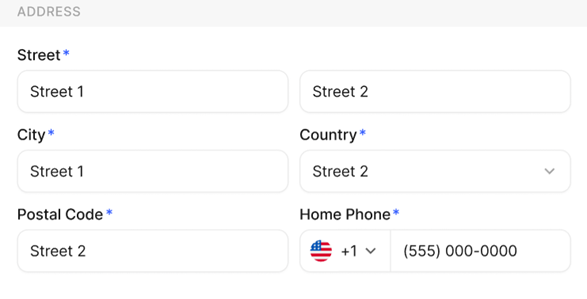
This action allows employees to keep their personal address and emergency contact details updated within the system to ensure accurate records and critical communication during emergencies.
To update emergency contact details and employee address information
- Navigate to your Profile or personal details section from the left navigation panel in Stafiqo.
- Select the Personal or Profile tab to view your current personal information.
- Locate the Address or Emergency Contact section within your profile details.
- Click the Edit button (or edit icon) next to the section you wish to update.
- Enter or update your current address information (Street, City, State, ZIP/Postal Code, Country) or emergency contact details (Name, Relationship, Phone Number, Email).
- Review all entered information to ensure accuracy.
- Click Save or Update to apply the changes.