

Setting up structured job titles and categories in Stafiqo ensures clear organizational hierarchy, accurate reporting, and streamlined recruitment workflows across your company.
To Create and Categorize a New Job Title
- Open the Stafiqo application and sign in to your admin account.
- Navigate to Settings from the main navigation panel.
- Select Job Titles under the company configuration menu.
- Click on the + Add Job Title (or Add New) button.
- Enter the Job Title Name and any required internal codes or descriptions.
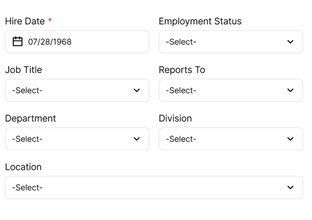
- Assign the job title to its respective Department or Category from the dropdown menu.
- Set additional configurations such as default employment status or position level if applicable.
- Click Save to create and categorize the new job title.
Note: Job titles linked to active departments will automatically sync across recruitment pipelines, performance reviews, and organizational charts.