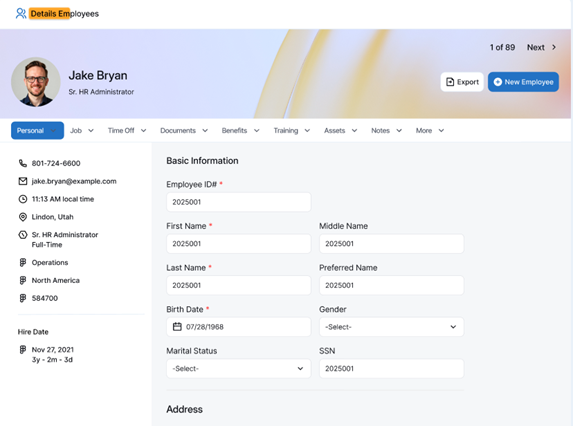
Assigning departments, job titles, and reporting managers ensures structured organizational hierarchy and accurate employee records within the platform. This action allows administrators and HR managers to maintain proper team reporting structures and job roles.
To assign departments, job titles, and reporting managers to staff
- Go to the Organization or Employee module from the main navigation menu.
- Select People or Employee List to view all registered staff members.
- Find and click on the specific employee’s name to open their Details / Profile page.
- Navigate to the Job tab.
- Click Edit or select the field you wish to update:
- Department: Select the appropriate department (e.g., Operations, Engineering, Marketing) from the dropdown menu.
- Job Title: Select or enter the employee’s designated role (e.g., Sr. HR Administrator, Software Engineer).
- Reporting Manager: Select the primary manager or supervisor responsible for approving requests and managing performance for this employee.
- Click Save or Update to apply the changes.