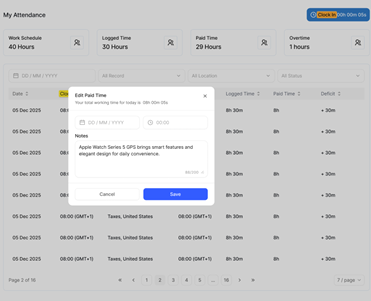
The Clock In and Clock Out feature allows employees to log their daily working hours directly from the Stafiqo dashboard. This tool tracks real-time work duration, total logged time, paid hours, and overtime to ensure accurate attendance management.
To clock in and out of your work shift directly from the dashboard
- Log in to your Stafiqo account.
- Navigate to the Attendance section on the left-side navigation menu and select My Attendance (or Employee Attendance).
- Located at the top-right corner of the attendance workspace, click the Clock In button to start recording your shift.
- Once clocked in, the timer widget will actively display your ongoing shift duration (e.g., Clock In 00h 00m 05s).
- When completing your shift or leaving for the day, click on the active Clock In / Clock Out widget bar at the top right.
- A Clock out modal will appear showing your total working time for the day and your clock-in location.
- (Optional) Enter any applicable notes regarding your shift in the Notes field.
- Click the Clock out button inside the modal window to complete your log.