

Task lists allow administrators and HR managers to streamline the onboarding experience by organizing key setup steps, policy reviews, and administrative tasks into structured workflows for newly hired employees.
To create and configure task lists for new hire onboarding:
- Open the Stafiqo web application and log in with your administrative account.
- Navigate to the Settings menu on the left side navigation panel and select Company Info or Time Off settings where policy and task categories are managed.
- Click on the Category tab under settings to view existing onboarding task groups.
- Click the + Add new Category button to create a dedicated group for your onboarding workflow (e.g., “Employee Handbook Introduction”, “Desk Setup”, “Create work email”).
- Enter the Category Name and configure the tracking rules or requirement settings for the category, then click Save and continue.
- Navigate to the task creation section and select + Add Task (or + Action) to define individual onboarding requirements.
- Assign a clear title and description to each task (such as signing non-disclosure agreements, setting up IT credentials, or completing compliance modules).
- Set the Due Date or relative timeline rule (e.g., due within 5 days of hire date).
- Assign the task list to specific employees, job titles, departments, or locations using the targeting options.
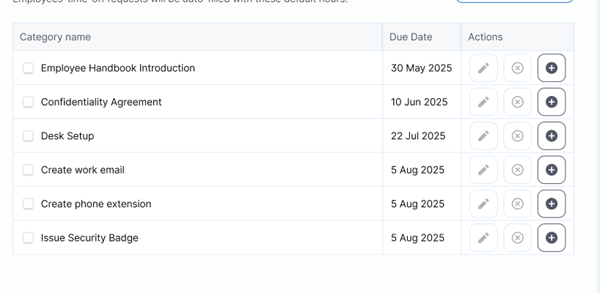
Review your configured settings and click Save.