Skip to content
Staffiqo

Getting Started

4
  • Adding a new employee profile and inputting basic information.
  • Viewing Your Personal Calendar and Scheduled Meetings
  • How to Review Upcoming Holidays, Birthdays, and Work Anniversaries
  • test

Company Setup

5
  • Configuring Role-Based Access and Module Permissions for Different Administrators
  • Creating and Categorizing New Job Titles
  • Adding and managing global company office locations.
  • Configuring general payroll settings, time zones, and pay periods
  • zdsgdfsga

Employee Management

12
  • Configuring Role-Based Access and Module Permissions for Different Administrators
  • Creating and Categorizing New Job Titles
  • Setting Up Pay Types (Fixed Salary, Hourly, and Project-Based)
  • Configuring general payroll settings, time zones, and pay periods
  • Starting and managing the regular monthly payroll cycle.
  • Approving or rejecting time off requests as a manager.
  • Submitting a new time off request for vacation or sick leave.
  • Creating and configuring task lists for new hire onboarding.
  • Updating Emergency Contact Details and Employee Address Information
  • Assigning Departments, Job Titles, and Reporting Managers to Staff
  • Reviewing the active and inactive employee overview charts.
  • Setting up employee compensation, pay rates, and schedules

Attendance

4
  • Monitoring Attendance Deficits and Tracking Approved Overtime Statuses
  • Reviewing and manually editing employee attendance records.
  • Viewing your logged hours, paid time, and calculated overtime.
  • Clocking in and out of your work shift directly from the dashboard.
View Categories
  • Home
  • Docs
  • Company Setup
  • Creating and Categorizing New Job Titles

Creating and Categorizing New Job Titles

monir
Updated on August 23, 2026

< 1 min read

Setting up structured job titles and categories in Stafiqo ensures clear organizational hierarchy, accurate reporting, and streamlined recruitment workflows across your company.

To Create and Categorize a New Job Title

  • Open the Stafiqo application and sign in to your admin account.
  • Navigate to Settings from the main navigation panel.
  • Select Job Titles under the company configuration menu.
  • Click on the + Add Job Title (or Add New) button.
  • Enter the Job Title Name and any required internal codes or descriptions.
  • Assign the job title to its respective Department or Category from the dropdown menu.
  • Set additional configurations such as default employment status or position level if applicable.
  • Click Save to create and categorize the new job title.
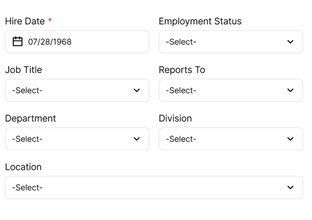
Note: Job titles linked to active departments will automatically sync across recruitment pipelines, performance reviews, and organizational charts.

Configuring Role-Based Access and Module Permissions for Different AdministratorsAdding and managing global company office locations.

Powered by BetterDocs

Leave a Reply Cancel reply

Your email address will not be published. Required fields are marked *

Share This Article :

  • Facebook
  • X
  • LinkedIn
  • Pinterest

Was it helpful ?

  • Happy
  • Normal
  • Sad
Staffiqo

All rights reserved